
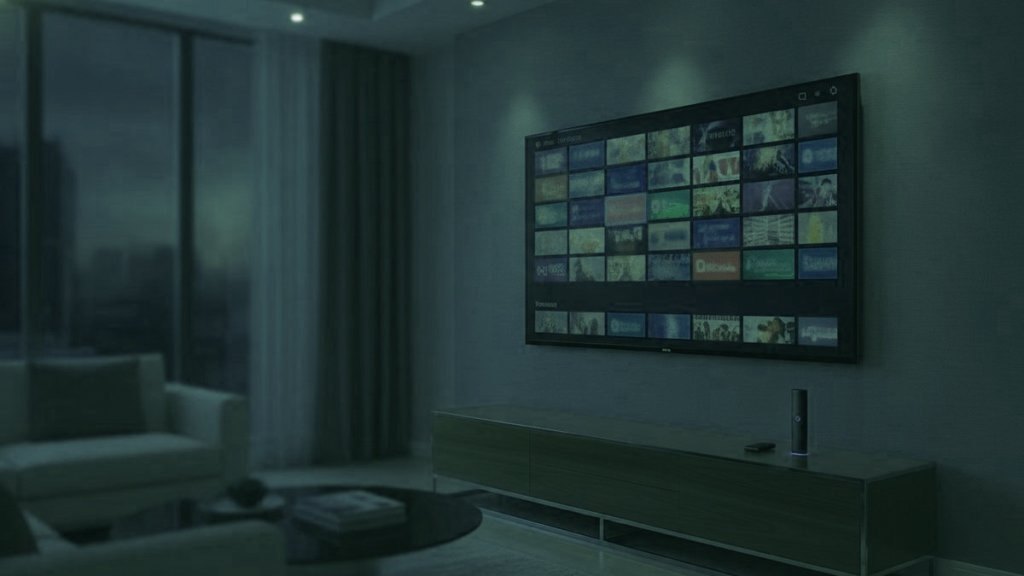
IPTV is television carried over an internet connection and sold as a login, not as a line to a building. The first half of that sentence turns up in every explanation of the term. The second half is the half that changes what you can do with it. A cable or satellite account is attached to an address: a dish on a wall, a socket behind the sofa, a box that belongs to somebody else. A subscription like this one is attached to you, and it works from whatever connection you happen to be sitting on.
Three things to take from this page
- The account is a few lines of text. There is no equipment and nothing to hand back.
- Any screen that runs a player app can use it, including a television you did not buy.
- What the picture looks like is decided mostly by the connection underneath you, and that changes from place to place.
What you actually receive
An order ends with a message rather than a delivery. Inside it: a server address with a colon and a port number on the end, a username, and a password. Those three values together are what the industry calls an Xtream Codes login, and most players ask for exactly those fields and work out the rest themselves. Activation takes under 15 minutes, and the login lands in the same WhatsApp conversation the order started in.
The same account can be handed over in two other shapes. An M3U link folds the credentials into one long web address in the form http://server:port/get.php?username=...&password=..., which suits players that expect a playlist file rather than a login screen. Program data, the grid showing what is on now and next, comes from the same server at xmltv.php with the same credentials. A MAG box does it differently again: you type in a portal address, and the provider ties that portal to the hardware address printed on the box, which on a MAG begins 00:1A:79.
Whatever shape it arrives in, the credentials are the subscription. Anyone holding them is holding your account, so they deserve the same care as a banking password and should not be pasted into a group chat.
What happens when you open a channel
Choose a channel and the player opens a connection to the server, which begins sending that one channel and nothing else, cut into short numbered pieces a few seconds long. The app collects a handful of pieces before it shows you anything at all, then keeps collecting while you watch, staying a little ahead of what is on screen.
That small reserve is the buffer, and it explains almost every complaint anyone has about internet television. While the player stays ahead, the picture is clean. When pieces arrive more slowly than they are being watched, the reserve shrinks, and the moment it reaches zero the picture stops and a spinner appears. Nothing is broken and no channel has died. The player has run out of video and is waiting for more.
It also explains why a steady line beats a quick one. A connection that averages 60 Mbps but vanishes for four seconds at a time is worse for this than one sitting flat at 25.
Why one login behaves differently in two places
This is the part that matters if the subscription is going to follow you around, and it has very little to do with the subscription itself.
At home you know your line. Somewhere else you do not. A holiday let advertises fast broadband and shares it with four other parties, all of whom are also indoors on a wet afternoon. A campsite or marina connection is designed for checking the weather, not for an evening of television. A hotel or guest house often puts a sign-in page in front of the internet, which the trade calls a captive portal: you cannot get past it until somebody accepts the terms in a browser, and a streaming stick has no browser to accept them with. The usual answers are to share the connection from a phone or to carry a small travel router that signs in once and hands out its own network.
As rough planning figures, one HD stream wants about 10 Mbps, one 4K stream wants a steady 25 Mbps, and 50 Mbps is comfortable if other people are online at the same time. Where the television can be reached with a cable, wired Ethernet is worth more than any setting inside the app.
Mobile data is a perfectly good answer for a few evenings, as long as you know the arithmetic. A stream running at about 8 Mbps moves 8 megabits every second, which is 28,800 megabits an hour, which is about 3.6 GB. At roughly 5 Mbps it is nearer 2.25 GB an hour. A 4K feed at 25 Mbps is about 11 GB an hour. Two films on a phone plan is a different proposition from a fortnight of evening television, and the sum above is the one to do before, not after.
Cable, an on-demand app and a subscription like this one
| Cable or satellite | On-demand app | IPTV subscription | |
|---|---|---|---|
| Sold to | An address, on a contract | An account, month by month | A person, for a fixed term |
| Arrives through | A dish, a cable or an aerial | One company app | A login, in any compatible player |
| Live channels | The package you were sold | Few, where they exist at all | 25,000+ across 60+ countries |
| Films and series | Whatever the package carries | The library that company owns | 120,000+ titles beside the channels |
| Away for a fortnight | Stays at the address | Follows the account | Follows the login |
| Equipment to return | Usually | None | None |
| At the end of the term | Rolls on until you cancel | Renews automatically | Stops, with no card kept on file |
They are answers to different questions. An on-demand app replaced the shelf of discs. This replaces the package of live channels, which is why the people who move across are usually the ones who were keeping cable for news, sport and the channels their family watches in another language.
What you need before you start
A screen with something to run. A Fire TV Stick, an Android TV box, a Samsung or LG set from 2016 onward, an Apple TV, a MAG or Formuler box, a phone, a laptop. Most households already own two or three without thinking of them as television hardware.
A player app. IPTV Smarters Pro and TiViMate are the common choices, Smart IPTV on the television stores, MyTVOnline on a Formuler box. Every one of them is an empty shell until credentials go in, which is the single most common source of first-evening confusion: the app is installed, the screen is blank, and nothing is wrong.
A connection you have tested. See the figures above.
The subscription itself. Everything else on this list is hardware you own and software that costs nothing. Our setup guides take each device in turn, and the Xtream Codes walkthrough covers the three fields that trip people up.
What goes in the bag
- The stick you already use at home, with its remote and a short HDMI extender. Wall-mounted televisions and recessed sockets are the reason the extender exists.
- A travel router if you are going somewhere that greets you with a sign-in page.
- Nothing at all, if you are content to watch on the phone or laptop that was coming anyway.
- A habit of signing out of any television that is not yours before you hand the keys back.
Installs, screens and one household
The login can be installed on as many devices as you like. What the plan limits is how many of them play at the same time, which is why plans are sold as 1, 2, 3 or 5 simultaneous streams rather than as a device count. A flat in town and a place at the coast used on alternate weekends need one stream. The same two places used on the same evening need two. The pricing page lists every term against every stream count.
One account is for one household, which is set out in section 4 of the terms. Travelling with your own subscription is what it is built for. Passing the credentials around to other homes is not the same thing, and it is the quickest way to find every screen locked out at once.
The legality question, briefly
The technology is ordinary and entirely legal; telephone companies and broadcasters have delivered television this way for years. The question people are really asking is about the rights a particular service holds for what it carries, which is a different question and a longer one. Our guide to IPTV and the law answers it without the reassuring hand-waving.
From order to first channel
There is a free 24-hour trial with no card, which is the sensible way to find out how your own screens and your own connection behave before any money changes hands. Ask for it on the trial page. If you do pay and it will not run on your device and support cannot fix it, the 7-day money-back guarantee applies. Support is on WhatsApp around the clock, which is the right channel for a question asked from a kitchen in a rented house at eleven at night, and the FAQ covers the rest.
Questions That Follow On From This One
Can I use one IPTV subscription in more than one place?
Yes. The account is a login rather than a line to a building, so it works from any connection you can reach. Install it on the devices in both places, or carry a stick in your bag. What the plan limits is how many streams play at the same moment, so a household using two places on the same evening wants a two-stream plan rather than a single.
What internet speed does IPTV need?
About 10 Mbps carries one HD stream and a steady 25 Mbps carries one stream in 4K. Fifty is comfortable when other people are online too. Steadiness counts for more than the headline number, because the player only stalls when data stops arriving. Where you can run a cable to the television, wired Ethernet solves more problems than any app setting.
How much mobile data does an evening of IPTV use?
Work it out from the bitrate. A stream at roughly 8 Mbps moves about 3.6 GB an hour, one at 5 Mbps about 2.25 GB, and a 4K feed at 25 Mbps about 11 GB. Three hours of HD viewing is therefore around 10 GB. Check the sum against your own allowance before a long stay, not after.
Why will my streaming stick not connect on hotel or campsite Wi-Fi?
Those networks often show a sign-in page, called a captive portal, before they hand over any internet. A phone or laptop can accept it in a browser; a streaming stick usually has no browser to accept it with, so it sits there reporting no connection. Sharing the connection from your phone, or carrying a small travel router that signs in once and then hands out its own network, closes the gap.
Is an IPTV subscription the same as an on-demand streaming app?
Both send video over the internet, so the underlying technology is shared. The difference is shape. An on-demand app is one company, one catalog and one player. An IPTV subscription is a login you enter into whichever compatible player suits the screen in front of you, and it is built around live channels with a program guide, with a film and series library alongside.
Do I need a special box, or can I use the television that is already there?
If the set runs apps and dates from about 2016 onward, it can usually do the job on its own. Otherwise almost anything with an HDMI socket will take a streaming stick, which is the reason so many people travel with one. Dedicated MAG and Formuler boxes are optional and mainly buy you a remote designed for flicking through channels.
Sign in wherever the television happens to be
Send one message and the login comes back in that same chat in under 15 minutes. It plays on the screen in front of you, at home or a long way from it, and if it will not, say so inside 7 days and the money goes back.
Carry On Reading
The IPTV Words You Meet, From Order Message to Living Room
Thirty-four terms in plain words, ordered the way you actually run into them: what arrives in the order message, what the plan…
September 19, 2026IPTV or Cable: One Line Into a Building, One Login You Carry
The difference that produces all the others is what the service is attached to. Cable is sold to a building; a subscription…
September 19, 2026Managed Networks, the Open Internet, and Where an IPTV Subscription Sits
Two questions hide inside this comparison: how the video travels, and what you are choosing from when it arrives. The answers explain…