












WhatsApp +212 663 813 479

IPTVGREAT – IPTV Subscription That Fits in Your Hand Luggage

Your IPTV Subscription Goes Where You Go, Not Where You Live

A dish points at one roof. An IPTVGREAT account is three lines of text, so it opens on your own television, on the one in the place you borrow in August, and on a phone in between. 25,000+ live channels and 120,000+ films and series in 4K, FHD and HD, held at 99.9% uptime. From $15 a month, with 24 free hours first.

  • 7 days to change your mind
  • WhatsApp, whatever the hour
  • Login in under 15 minutes
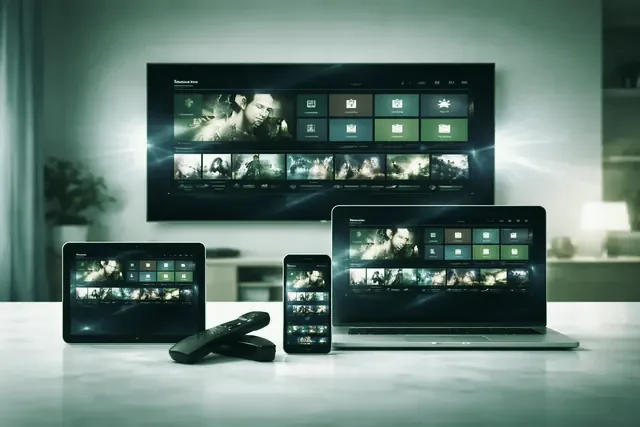
The same IPTVGREAT login open on a television, a laptop, a tablet and a phone
25,000+ Live TV channels, 4K, FHD and HD included

Nothing screwed to a wall, nothing to post back, no card left on file. The plan runs to its own dates, wherever you are on them.

Order in a WhatsApp message

Every plan carries the 7-day money-back guarantee

An evening of IPTVGREAT on a television in a borrowed living room Signing in to IPTVGREAT on an unfamiliar remote control
The idea

An Account With Nobody's Address on It


Traditional television is sold to a structure. A dish is aligned or a line pulled through a wall, and the service then belongs to the building rather than to you.

This runs the other way round. Your account is a server address, a username and a password. Type those three into a player and the same 25,000+ channels, 120,000+ films and series and feeds from 60+ countries appear, in a kitchen you know or one you have stood in for nine minutes.

  • Unlimited installs, with the tier counting simultaneous streams
  • No engineer, nothing to hand back, no address on the account
In your bag

What Goes in the Bag, and What You Can Leave Behind

The whole kit weighs less than a paperback. Sign the stick in at home the night before, so the machine that arrives with you already knows who you are. Plug it in behind whatever television is in the room, find the right input, and you are watching.

The travel kit, item by item

  • The stick, already signed in. Do the typing at home on a real keyboard, not on a screen keyboard at eleven at night.
  • A short HDMI extender. The part everyone forgets. Sockets on rental sets sit flat against a wall bracket and a stick will not fit.
  • The power lead and a wall plug. The USB socket on a strange television is often too weak to run a stick, and the symptom looks like a bad connection.

Pack none of it and the player on a phone is still the same account. Pick your hardware at the setup hub.

Borrowed connections

The Wi-Fi Password Written on a Card by the Kettle

Watching in one place is a question about the service. Watching in four is a question about connections you do not control.

A line shared with four other guests

Rentals buy broadband for checking email, then everybody comes back from the beach at seven. Around 10 Mbps carries HD and a steady 25 Mbps carries one 4K stream, so on a crowded line you pick the HD copy. Busy channels exist in more than one quality for exactly this.

A sign-in page before the internet

Hotels and most public networks show a page asking for a room number before they give you internet. A stick has no browser, never sees that page, and reports that nothing is reachable. Two dull, reliable answers: sign in on your phone and share the connection from it, or sign in once on a travel router and put the stick behind it.

Campgrounds, marinas, one distant mast

One connection for everyone on site, and the evening is when everyone wants it. Expect HD rather than 4K, and use an Ethernet socket if the place has one.

Somebody else's rules on somebody else's network

If a network will not carry something, that is its owner's call on its owner's equipment. Ask whether they can lift it, or use your own mobile data.

Arithmetic

What an Evening of Television Costs in Mobile Data

When the house connection is hopeless the phone becomes the connection, and an evening turns into a sum you can do in your head. A stream at about 8 Mbps moves roughly one megabyte a second, and an hour is 3,600 seconds, so an hour is about 3.6 GB. The rest is that sum with a different first figure.

How it is playingRoughlyOne hourThree hours after dinner
Lower quality, deliberately chosen5 Mbpsabout 2.25 GBabout 7 GB
HD, where most evenings sit8 Mbpsabout 3.6 GBabout 11 GB
One 4K stream, running properly25 Mbpsabout 11 GBabout 33 GB

Approximations, and meant to be. A full signal bar says only that the phone can hear the mast; a stream needs the same speed every second for three hours.

Whatever Screen Happens to Be in the Room

Every walkthrough here assumes an unfamiliar room and one attempt at it. The login never changes shape: a standard Xtream Codes account, meaning a server address with its port, a username and a password. Only the app differs. Fire TV sideloading uses the Downloader app by AFTVnews, MAG boxes take a portal bound to the box's MAC address, Formuler uses MyTVOnline, and Smart IPTV holds its list at siptv.app/mylist.

  • Amazon Fire TV Stick
  • Samsung Smart TV
  • Android TV
  • Apple TV and iPhone
  • MAG and Formuler box
  • Nvidia Shield
  • Android phone and tablet
  • IPTV Smarters Pro
  • Roku
  • Web player and M3U
  • LG Smart TV
  • Windows PC and Mac

Four Figures That Do Not Change With the Address

Whatever room you sign in from, the line-up behind the password is identical.

Open the full channel list

25,000+Live channels carried

120,000+Films and series

99.9%Uptime, measured

60+Countries in the list

Networks carried from the United States · Canada · United Kingdom · Ireland · Europe · Australia · Middle East

Terms

Count the Screens That Play at the Same Moment

Not the screens you own, and not the rooms you hold keys to. A couple with a flat in town and a place at the coast own two televisions; if only one is ever switched on, one stream is the right answer. Two towns watching on a Saturday is two.

1 Month

$ 15 / 1 month

$15.00 per month over the term

  • 25,000+ live channels, the same list at every address
  • 120,000+ films and series for the evenings you stay in
  • 4K, FHD and HD, to suit the line in the room
  • A full guide, plus catch-up where a channel offers it
  • Unlimited installs: the stick in the bag, the TV at home
  • WhatsApp answered whatever hour it is where you are
  • 7 days to ask for the money back, wherever you tried it
WhatsApp us to book this term

3 Months

$ 29 / 3 months

$9.67 per month over the term

  • 25,000+ live channels, the same list at every address
  • 120,000+ films and series for the evenings you stay in
  • 4K, FHD and HD, to suit the line in the room
  • A full guide, plus catch-up where a channel offers it
  • Unlimited installs: the stick in the bag, the TV at home
  • WhatsApp answered whatever hour it is where you are
  • 7 days to ask for the money back, wherever you tried it
WhatsApp us to book this term

6 Months

Packed most often

$ 45 / 6 months

$7.50 per month over the term

  • 25,000+ live channels, the same list at every address
  • 120,000+ films and series for the evenings you stay in
  • 4K, FHD and HD, to suit the line in the room
  • A full guide, plus catch-up where a channel offers it
  • Unlimited installs: the stick in the bag, the TV at home
  • WhatsApp answered whatever hour it is where you are
  • 7 days to ask for the money back, wherever you tried it
WhatsApp us to book this term

Same line-up on all four cards: 25,000+ channels and 120,000+ films and series, wherever you sign in. The term sets how long it runs; the tier sets how many screens can be playing at the same moment, which is the number that matters when the household is in two places. Install it on as many devices as you like — a stick only counts while it is playing. You pay once, nothing renews unless you ask, and no card is left on file. If it will not play on your screen and support cannot sort it, say so inside 7 days and the money goes back. Figures in USD.

All four terms sit side by side on the pricing page, and a tier can move up mid-term. Unsure? Take the 24-hour trial first.

The IPTVGREAT program guide open on a television, a laptop and a phone
Activation in under 15 minutesOrdering, paying and the login all happen in one chat.
The first evening

Three Messages, Then the First Channel

  1. Say how long, and how many streams

    Pick a term and a tier on the pricing page and press the WhatsApp button. Unsure which tier fits two places? Say so in the message.

  2. Three values land in the same chat

    A server address with its port, a username and a password, plus an M3U link shaped like http://server:port/get.php?username=&password= and program data at xmltv.php. Save that message; it is all you carry.

  3. Type them in wherever you are standing

    Install a player, enter the three values once, and the channel list builds itself, usually inside under 15 minutes.

24 Free Hours, Spent on the Connection You Doubt

A full account, no card, nothing to cancel. Use it on the line that worries you, not the one you trust: the rental, the caravan, the hotspot.

We take no payment details at this stage — not a card, not a billing address. The button drops your answers into WhatsApp, where you can change anything you like before pressing send. The reply lands on that phone, whichever country it happens to be sitting in.

The hand-back

Signing Out of a Television That Is Not Yours

The other half of watching in borrowed rooms is leaving them properly. A login left inside a rental's smart TV is still your login next week, when strangers are in front of it.

Before you hand the keys back

  • Sign out inside the player, do not just close it. Closing an app does not remove the account from it.
  • Delete the list you added. On Smart IPTV it is held against that television's own MAC address, so clear it from siptv.app/mylist too.
  • Collect the hardware. Stick, extender, plug. Sticks left in hotel televisions are rarely seen again.
  • Keep it in your household. One account is for one household, section 4 of the terms.

Coming home is the easy half. Nothing to reconnect, no appointment, no box to dig out of a cupboard. The plan runs to its own end date, uninterested in where you spent the last month.

The details

What the Money Buys, and What It Honestly Does Not

One figure, published

$15 for a month, near $5.75 a month across a year. No contract, no setup fee, no automatic renewal, no card on file.

Nothing delivered, nothing returned

The account is text, not hardware, so arriving takes under 15 minutes and leaving takes nothing at all.

More than one quality per channel

Several bitrates per channel is what makes a mediocre rental line usable. You step down to HD and watch the match.

7 days, and their limits

Where support cannot get it running on your own hardware, the money comes back in full. It cannot cover a connection elsewhere that is simply too slow, and the refund policy says so.

Three ways to put television in a room you are only in sometimes

QuestionDish or cable at one addressA cheap list off a forumIPTVGREAT
Tied to a buildingYes, by designNoNo
What you carry awayNothing, it staysA login that may not lastA stick, or just the app
A second homeA second installationUnpredictableThe same account
Eleven at night, far from homeA call center, in office hoursUsually nobody24/7 on WhatsApp

Selling It Rather Than Just Recommending It

A credit-based panel, opened the same day

If you manage properties, run a campground, or are the person every relative rings about the television, the panel opens accounts in seconds. Buy credits at wholesale, set your own price, and the same 25,000+ channels sit behind every line.

See reseller pricing