
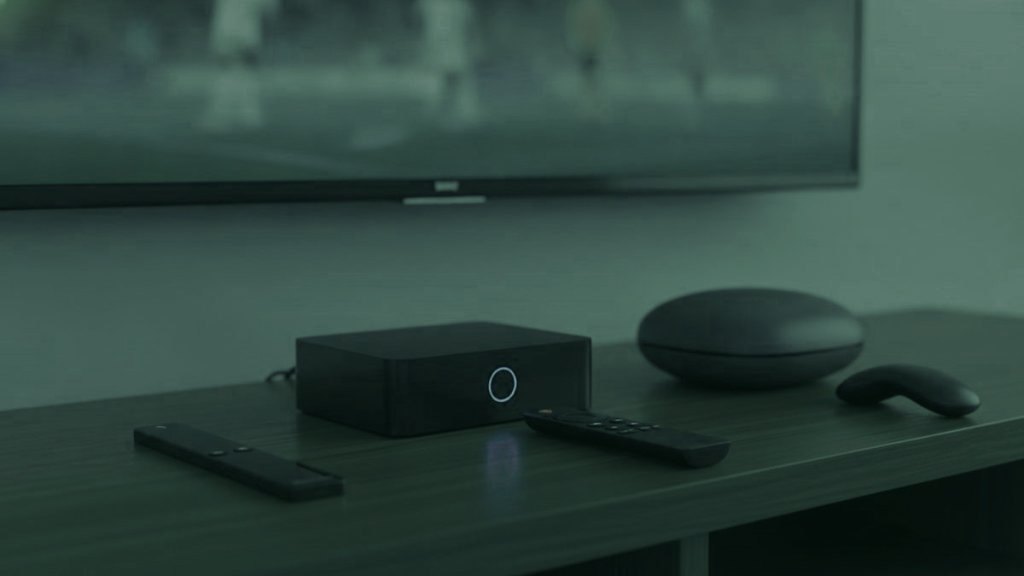
Before you buy anything, look at what is already plugged in. A Samsung or LG set made since 2016 runs a player from its own store. An Apple TV, an Android TV device or a streaming stick that is already there needs nothing but an app. A laptop or a phone will do for the first evening. Hardware is the last decision in this process, not the first, and on a 24-hour trial you can settle the question of whether the service suits you before spending a dollar on a box.
The short version
Households that watch in more than one place usually end up with two kinds of hardware rather than one: something capable and settled under the main television, and something small, cheap and login-based that can be plugged into whatever screen is waiting elsewhere. Those two jobs pull in opposite directions, which is why one recommendation for everybody does not survive contact with a real house.
Two jobs, and they want different things
The box that stays. It sits under a television used every evening. It is judged on the remote in your hand, how fast a 25,000-channel list redraws, and whether it has a socket for a network cable. Nobody moves it, so size and price per unit matter less.
The one that goes with you. It lives in a bag, plugs into an HDMI socket on the back of a television you did not buy, and has to be set up from a standing start in a room where you do not know the Wi-Fi password yet. It is judged on being small, being cheap enough that losing it is annoying rather than painful, and taking a typed login instead of binding itself to one set.
The hardware, by the job it suits
| Device | Typical price | Player situation | The job it fits |
|---|---|---|---|
| Fire TV Stick 4K / Max | $30 – $50 | TiViMate by sideloading; Smarters direct | Either job; the usual answer for a bag |
| Chromecast with Google TV | $40 – $50 | TiViMate straight from the Play Store | Either job, with no sideloading step |
| onn. 4K Pro | around $50 | Play Store, plus an Ethernet socket | A settled second television |
| Generic Android box | $40 – $90 | Usually the Play Store | Settled, if the specification is honest |
| Nvidia Shield | $150 – $200 | Everything Android runs | A main television, with headroom to spare |
| Formuler Z11 | $140 – $180 | MyTVOnline built in, plus Android players | A main television, set-top-box feel |
| MAG 5xx | $120 – $160 | Portal address, bound to the box | Stays put by design |
| Roku | $30 – $100 | Thin, with no sideloading | Awkward for this; see below |
Sticks, and why they end up in luggage
A Fire TV Stick 4K costs less than two months of a single-stream plan, handles 4K without complaint and is discounted heavily several times a year. Two things are worth knowing. The first is that TiViMate is not in Amazon’s own store, so it is installed with the Downloader app — the orange one by AFTVnews — after unknown sources are turned on, which is about five minutes and is written out screen by screen in the Firestick guide. The second is to skip the non-4K Lite model unless budget is genuinely tight, because it caps at 1080p and there is little point paying for Ultra HD feeds you cannot display.
A Chromecast with Google TV or an onn. 4K Pro removes the sideloading step entirely, since TiViMate is in the Play Store on both. The onn. also has an Ethernet socket, which a stick does not, so it suits a fixed second television better than a bag.
Android boxes: read the specification, not the listing
- 2 GB of RAM minimum, 4 GB if you can. Below that a very long channel list crawls, and this is where cheap boxes fail first.
- Certified Android TV, not a phone build in a box, so the store offers television versions of apps and the remote navigation works.
- An Ethernet port. Cabled beats wireless for live streams with monotonous reliability.
- A name you can look up. Unbranded boxes ship modified firmware of unknown origin more often than anyone would like.
- Ignore core counts. Eight slow cores lose to four quick ones, and listings mislead on this routinely.
An Nvidia Shield sits at the top of this category with the most headroom of anything here. It is more than most households need, and if you are buying for one main television and intend to keep it for years, that is a defensible way to spend the money.
Formuler and MAG: hardware that stays where it is put
These are the boxes that feel like television rather than like a computer. The remote has dedicated buttons for the channel list, the guide and favorites instead of repurposed streaming controls, and on a screen used every evening that matters more than any specification line. A Formuler runs MyTVOnline and takes an ordinary Xtream Codes login. A MAG works differently: it uses a portal address rather than a username, and the portal is bound to the box’s own MAC address, which begins 00:1A:79.
That binding is worth understanding before you buy. It makes a MAG extremely simple to live with — nothing to install, nothing to update — and it makes it the least portable device in this article. A MAG you take to a second home does not sign in somewhere new; it carries its own identity with it and needs the portal pointed at it. For a main television that is a feature. For a fortnight away it is a reason to pack something else. The MAG and Formuler guide covers both paths.
Roku, and why it is awkward here
Roku hardware is good at what it is designed for, so the assumption that it will do this too is reasonable. It permits no sideloading, and its channel store carries almost none of the established players — TiViMate is absent entirely. What is left is a thin selection plus screen mirroring from a phone, which works and is a poor way to spend an evening. If there is already one in the house, the Roku guide covers the two methods that do function. If you are choosing now, choose something else.
Three things about a room you did not furnish
- The socket may not be reachable. Televisions bolted flat to a wall leave no room behind them for a stick. A short HDMI extender costs a few dollars, takes no space in a bag and is the difference between watching and not.
- Bring the mains adapter. Powering a stick from the television USB socket works on many sets and not on all of them, and a stick that reboots mid-program is usually a power problem rather than a network one.
- The remote will be unfamiliar. Running the same player at home and away means the button you press without thinking is in the same place in both rooms, which is worth more than any specification on the box.
The network the hardware will actually meet
At home the advice is dull and correct: plug it in. An adapter in the $10 to $15 range fixes more stuttering than any upgrade on this page, because most stuttering is a network problem in hardware costume. Budget roughly 10 Mbps for an HD stream and a steady 25 Mbps for a 4K one, add them up for every screen playing together, and treat 50 Mbps as comfortable for a busy household.
Away from home the questions change. Holiday-let broadband shared with four other parties behaves nothing like your own line at nine in the evening, and a campsite or marina connection even less so. Some networks show a sign-in page before they hand over internet at all — a captive portal — and a streaming stick has no browser with which to accept it. The practical answers are a phone hotspot, or a small travel router that logs into the portal once and presents an ordinary network to everything behind it. Whatever a particular network permits is that network’s business to decide; if something will not work there, ask whoever runs it or use your own mobile data.
On mobile data, do the arithmetic before the evening rather than after: a stream around 5 Mbps is roughly 2.25 GB an hour, around 8 Mbps roughly 3.6 GB an hour, and a 4K stream needing a steady 25 Mbps roughly 11 GB an hour. Choosing the HD copy of a channel rather than the 4K copy is the single biggest lever you have, and the reason popular channels appear more than once in the list. The 4K page has more on what Ultra HD asks of a connection.
Boxes sold with the channels already on them
Hardware advertised as preloaded, or bundled with a lifetime subscription, is a bad purchase regardless of the sticker. Such devices frequently run modified apps, the bundled access tends to stop within weeks, and there is nobody to ask afterwards. Buy a clean device from an ordinary retailer, install the player yourself, and put a subscription on it that has a trial, a refund position and somewhere to send a message at eleven at night.
Buying in the right order
- Nothing, at first. Run the free trial on a television, laptop or phone you already own and decide whether the service is worth hardware at all.
- An Ethernet adapter, if the picture is the complaint. It is the cheapest thing here and it fixes the most.
- A stick for the second screen. Around $40, small, login-based, and identical to whatever you use at home.
- A dedicated box only for a main television watched every day, where the remote and the redraw speed earn back the extra $100 or more.
All of it works with an IPTVGREAT account, which is issued as a standard Xtream Codes login rather than anything proprietary, and installs are unlimited — the plan only sets how many streams play at the same moment. Step-by-step instructions for every device are in the setup hub, and the player comparison covers which app to put on what you buy.
Questions That Follow On From This One
Do I need an IPTV box at all?
Often not. A Samsung or LG smart TV made since 2016, an Android TV device, an Apple TV, a phone, a tablet or a laptop will all run a player directly. A box earns its place when the television is too old to run anything, when you want TiViMate on a set that cannot install it, or when you want a proper remote and a network socket.
Which box suits a second home or a place you visit?
Something small, cheap and login-based, which in practice means a streaming stick. It fits in a bag, plugs into any spare HDMI socket, and takes your server address, username and password in a couple of minutes. Pack a short HDMI extender for televisions mounted flat against a wall, and the mains adapter rather than relying on the set USB socket.
What does an IPTV box cost?
Sticks and dongles run roughly $30 to $50, an onn. 4K Pro is around $50, and generic Android boxes sit between $40 and $90. Dedicated units cost more: a MAG 5xx is about $120 to $160, a Formuler Z11 around $140 to $180, and an Nvidia Shield $150 to $200. An Ethernet adapter at $10 to $15 is the cheapest useful purchase of the lot.
Why is a MAG box harder to move than a stick?
Because it identifies itself rather than you. A MAG uses a portal address bound to the box MAC address, which begins 00:1A:79, instead of a username and password typed into an app. That makes it very simple on a television it never leaves, and awkward to stand up somewhere else. A stick running a login-based player is the portable option.
Is Roku a good choice for IPTV?
It is the weakest fit here. Roku allows no sideloading and its store carries almost none of the established players, TiViMate included, so what remains is a thin selection plus screen mirroring from a phone. If you already own one there are two workable methods in our Roku guide. If you are choosing hardware now, pick a stick or an Android device instead.
Should I buy a box with a lifetime subscription included?
No. Preloaded devices often run modified apps, the bundled access tends to stop working within weeks, and there is rarely anyone to contact afterwards. Buy clean hardware from an ordinary retailer, install a player yourself, and add a subscription that offers a trial, a published refund position and support you can reach.
Sign in wherever the television happens to be
Send one message and the login comes back in that same chat in under 15 minutes. It plays on the screen in front of you, at home or a long way from it, and if it will not, say so inside 7 days and the money goes back.
Carry On Reading
The IPTV Words You Meet, From Order Message to Living Room
Thirty-four terms in plain words, ordered the way you actually run into them: what arrives in the order message, what the plan…
September 19, 2026IPTV or Cable: One Line Into a Building, One Login You Carry
The difference that produces all the others is what the service is attached to. Cable is sold to a building; a subscription…
September 19, 2026Managed Networks, the Open Internet, and Where an IPTV Subscription Sits
Two questions hide inside this comparison: how the video travels, and what you are choosing from when it arrives. The answers explain…